


How to Backwash a Pool Filter
 Matt Giovanisci
  April 15, 2026
 Your pool is only as clean as your filter is. The good news is that when you backwash, cleaning the filter doesn’t always entail taking it apart and washing it by hand.
Here’s a step-by-step guide on how to backwash a pool filter. You can watch the walkthrough video or keep reading for our complete guide.
This is the ultimate guide to keeping your pool sparkling clean throughout the year that contains everything you need to know about taking care of your pool the right way. Including saltwater pools.
What Is Backwashing a Pool Filter?
Whether you’ve heard the term “backwash a pool filter” or just “backwash a pool,” both are the process of reversing the flow of water in your filter to remove the buildup of contaminants.
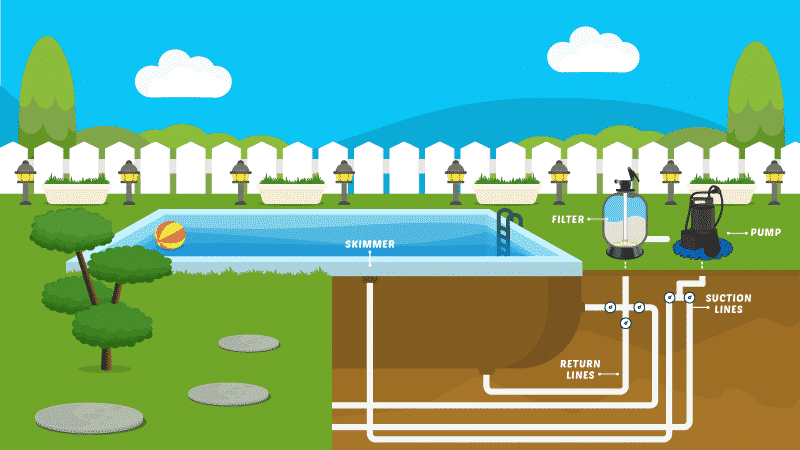
As pool water passes through your D.E. filter or sand filter, it leaves behind dirt, oils, and other debris, which are collected in the filter medium—either D.E. powder or sand.
Over time, as water continues to pass in just one direction, the filter medium will become clogged, which will reduce your filter’s effectiveness. When you backwash a pool, you send water backward through the filter, and out the waste or drain port. This forces all the debris caught in the filter to dislodge so you can easily remove it and restore your filtration system to its normal functioning level.
While backwashing generally works the same way regardless of the type of pool filter, the procedures do vary a bit.
How to Backwash a Sand Filter
When you learn how to backwash a sand filter, the sand never leaves the filter. Water flows backward through the filter system and out through your filter’s waste port.
Before you get started, the only extra equipment you’ll need is a backwash hose.

When backwashing your pool filter, use this easy-to-roll up and store backwash hose.
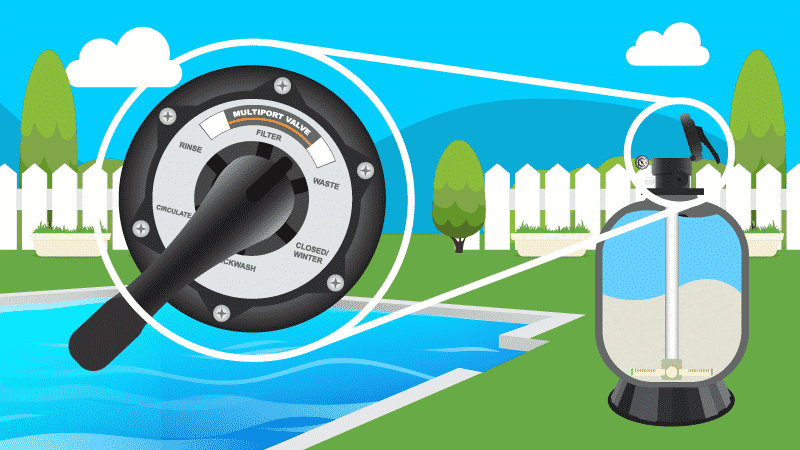
How to Backwash Using a Multiport Valve
- Attach the backwash hose to the waste or backwash port.
- Turn the filter system off.
- Turn the multiport valve to Backwash.
- Turn the filter system back on.
- Let the water run out of the backwash port and through the backwash hose for about a minute, or until the water runs clear
- Turn the filter system off.
- Turn the multiport valve to Rinse.
- Turn the filter system back on.
- Rinse the filter for about 30 seconds.
- Turn the filter system off.
- Turn the multiport valve to Filter.
Important: Never turn the multiport valve handle while the pool filter is on and running. This could cause the rubber diverter gasket inside the valve to come loose or break, which will cause water to leak out of the wrong ports while it’s running.
How to Backwash a D.E. Filter
Before you get started, you’ll need a few supplies.
- Backwash hose
- Diatomaceous earth powder
- One-pound D.E. scoop (or empty one-pound coffee can)
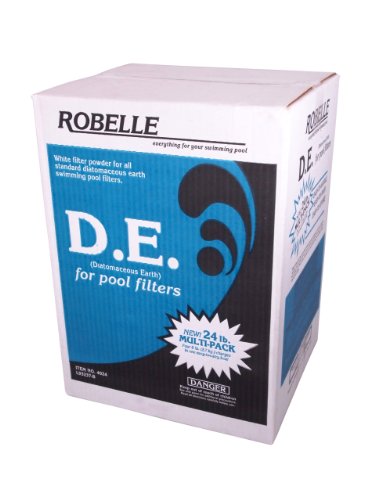
Filter media for backwashing and cleaning D.E. pool filters.
What is Diatomaceous Earth?
It’s a white powder composed of fossilized skeletons of one-celled organisms called diatoms. The powder is added to the filter and attaches itself to the grids inside, creating a D.E. “cake.”
This cake, along with the filter grids inside, helps to filter out very fine particles.
How Much D.E. Powder Will You Need?
This will vary depending on the type and size of filter you have. Always refer to your owner’s manual for specific information.
In any case, D.E. powder is measured in pounds, so use a one-pound D.E. scoop to make measuring easy. In a pinch, you can also use an empty one-pound coffee can.
| DE Filter Sq. Ft. | One-Pound DE Scoop | One-Pound Coffee Can |
|---|---|---|
| 24 Sq. Ft. | 3 Pounds | 6 Cans |
| 36 Sq. Ft. | 4.5 Pounds | 9 Cans |
| 48 Sq. Ft. | 6 Pounds | 12 Cans |
| 60 Sq. Ft. | 7.5 Pounds | 15 Cans |
How to Backwash with a Multiport Valve
You’ll want to set aside a little time to do this, but don’t worry. It’s not an arduous task that’s going to take all day.
- Turn off the filter system.
- Connect the backwash hose to the filter’s waste port.
- Turn the multiport valve to Backwash. If you have a push/pull valve, open the backwash gate.
- Turn the filter system back on, and let it run for about two minutes. This will allow pool water to flow out of the backwash valve or port.
- Turn the filter system off.
- Turn the multiport valve to Rinse, turn the system back on, and let it run for about another minute.
- Turn the filter system off.
- Turn the multiport valve back to Filter.
- Add D.E. powder to the closest skimmer to your filter. (Refer to your filter owner’s manual to determine how much D.E. powder you’ll need to add.)
- Turn on the pool pump.
- Run the pool pump for at least 30 minutes to allow the D.E. to distribute evenly over the filter grids.
Important: Never turn the multiport valve handle while the pool filter is on and running. This could cause the rubber diverter gasket inside the valve to come loose or break, which will cause water to leak out of the wrong ports while it’s running.
How to Backwash with a Push/Pull Valve
This procedure differs only slightly from the multiport valve process.
- Turn off the filter system.
- Connect the backwash hose to the filter’s backwash port.
- Open the backwash gate.
- Turn the filter system back on and let it run for about three minutes. This will allow pool water to flow out of the backwash port.
- Turn the filter system off.
- Close the push/pull valve.
- Add D.E. powder directly into the pool skimmer. Make sure the pump is running.
- Run the pool pump for at least 30 minutes to allow the D.E. to distribute evenly over the filter grids.
When to Backwash a Pool Filter
When you first set up your filter, whether it’s sand or D.E., take note of the pressure gauge reading. That’s your normal operating filter pressure. Over time, as the filter starts to accumulate dirt and debris, pressure will begin to build up because the water can’t flow as freely through it.
When the pressure gauge reads 10 pounds per square inch (psi) above the normal operating level, it’s time to backwash. If it reads more than 10 psi over the normal level, it’s really time to backwash.
While you could backwash before the pressure reaches the 10 psi over the normal mark, we recommend waiting. Yes, your filter functions better when it’s not clogged. But before it gets to the fully clogged point, the presence of small dirt and debris actually helps your sand or D.E. filter work a little better.
Those tiny bits of debris help to catch and stop other tiny bits of debris from getting through the filter medium and making it back into the pool water.
So, a clean filter is good. A slightly dirty filter is better. A clogged filter is bad and needs to be backwashed.
How to Dispose of Filter Backwash Water
Every time you backwash your pool filter, you could be pulling hundreds of gallons of water from your pool. Where is all that water going to go? Into your yard? The street? The creek behind your house?
None of those are good options, and in fact, may even be illegal, depending on where you live. The water that comes out of your pool is chemically treated and can damage plant life, groundwater, and aquatic life.
Disposing of backwash water properly is essential, not just to avoid potential fines, but to keep your community and the environment safe from illness and damage.
Storm Drains
Some cities do allow pool water to be released into storm drains. But they may also require that you apply for a permit first.
You may also need to reduce or eliminate chemicals or salt levels in the water before you’re allowed to dispose of it in your community’s sewer system. Check with your local water authority.
Plumbing Cleanouts
You may be able to dispose of backwash water by directing it into one or more of your home’s plumbing cleanouts. Again, it’s best to check with your local water/sewer authority to ensure this is allowed, find out whether you need to treat the water in any way before disposing, and to obtain any necessary permits.
It’s unlikely any municipality will allow you to release pool water into a septic system. You wouldn’t want to do that anyway. Septic systems rely on the existence of active enzymes to dispose of waste. Pouring chemically treated water into the tank—especially water with chlorine in it—would likely kill those enzymes, leaving you with quite a mess.
Dry Wells
These can be a life (or property) saver if you live in an area that sees a high level of rainfall, or experiences tropical storms. They can help prevent flooding and erosion. While a dry well could work for disposing of pool water, that’s not usually its purpose.
Regardless of how many levels of gravel, sand, or other media the water may pass through, it will still end up in the ground, which means it can be a problem if you live in an area that doesn’t allow the disposal of pool water into the ground.
Aside from the issue of permission, a dry well must be constructed by a professional, and it’s a project that can easily cost thousands of dollars.
You can definitely find an easier, safer, and less expensive way to dispose of your filter backwash water. Your local water authority can help you.
Key Takeaways
- Backwashing reverses the water flow in your sand or D.E. filter to flush out trapped dirt and debris. You don’t need to backwash cartridge filters.
- Always turn off your filter system before changing the multiport valve position. Turning the valve while the pump is running can damage the rubber diverter gasket and cause leaks.
- Backwash your filter when the pressure gauge reads 10 PSI above your normal operating pressure. A slightly dirty filter actually traps finer particles better than a completely clean one.
- After backwashing a D.E. filter, you’ll need to add fresh D.E. powder through the skimmer closest to your filter. Run the pump for at least 30 minutes so the powder distributes evenly over the grids.
- Dispose of backwash water responsibly. Chemically treated pool water can harm plant life and groundwater. Check with your local water authority for permits and approved disposal methods.
- Never pour backwash water into a septic system. The chlorine will kill the active enzymes your septic tank needs to break down waste.