

The Pool Care App 6.0
 Matt Giovanisci
  August 24, 2026
The Pool Care App tests your water and tells you which chemicals to add (and when). But what about everything else? You need to keep track of skimming, vacuuming, and your filter pressure.
Well, now you can track everything you need to take care of your pool! Plus, we added a new Trends tab and a handful of upgrades that let you customize the app.
NEW Pool Maintenance Tracking
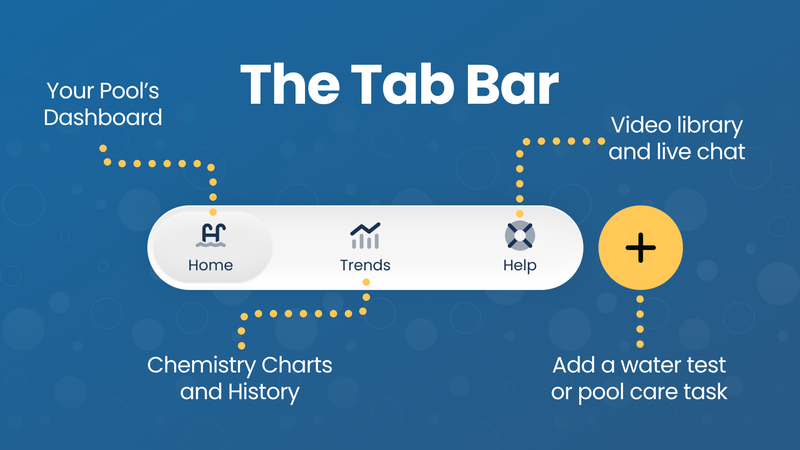
We’ve added a navigation bar at the bottom of every page. You’ll see Home, Trends, Help, and an action button. When you click the action button, you can test the water, add pool cleaning tasks, and track your filter pressure.
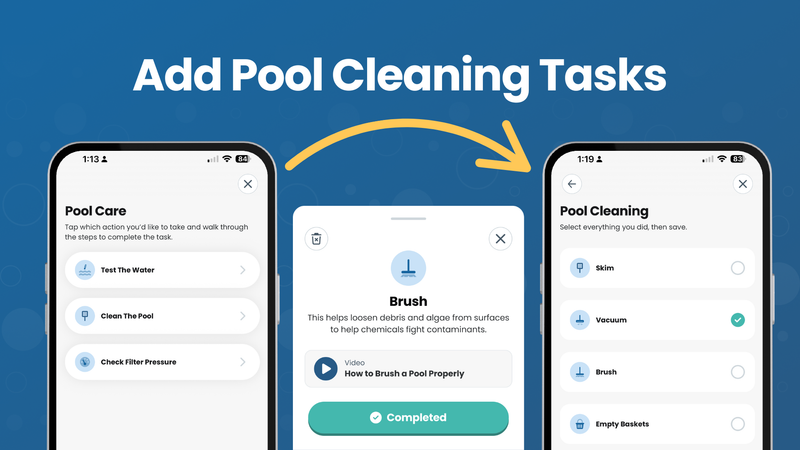
Pool cleaning tasks you can track:
- Skimming
- Brushing
- Vacuuming
- Emptying Baskets
- Filter Cleaning
Choose which task you’ve completed, hit save, and it will appear on your pool’s home screen with a timestamp. You can click each task to view additional information.
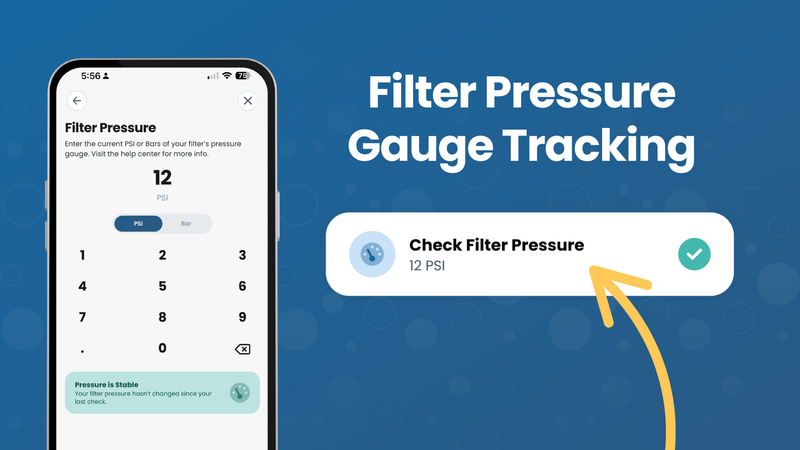
Now you can enter your pool’s filter pressure, and the app will track its movement. When it reaches 10 psi above normal operating pressure, you’ll be alerted to clean your filter.
This helps ensure your filter is always running in the best possible condition. And helps you to avoid unnecessary cleaning.
Your Pool’s New Home Screen
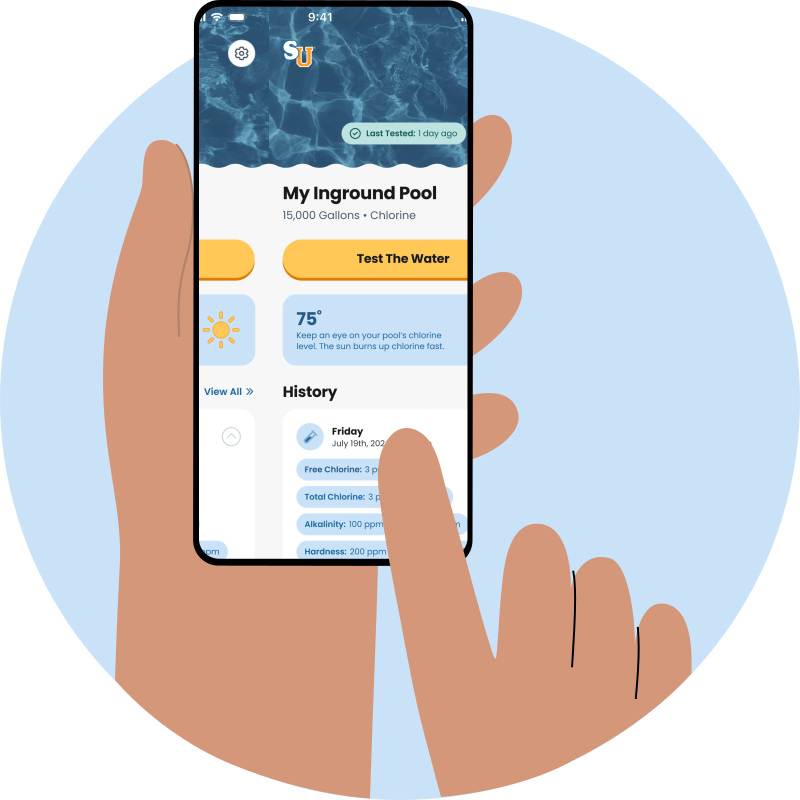
We improved your pool’s home screen to include an updated weather widget, helpful alerts, and all your pool maintenance tasks.
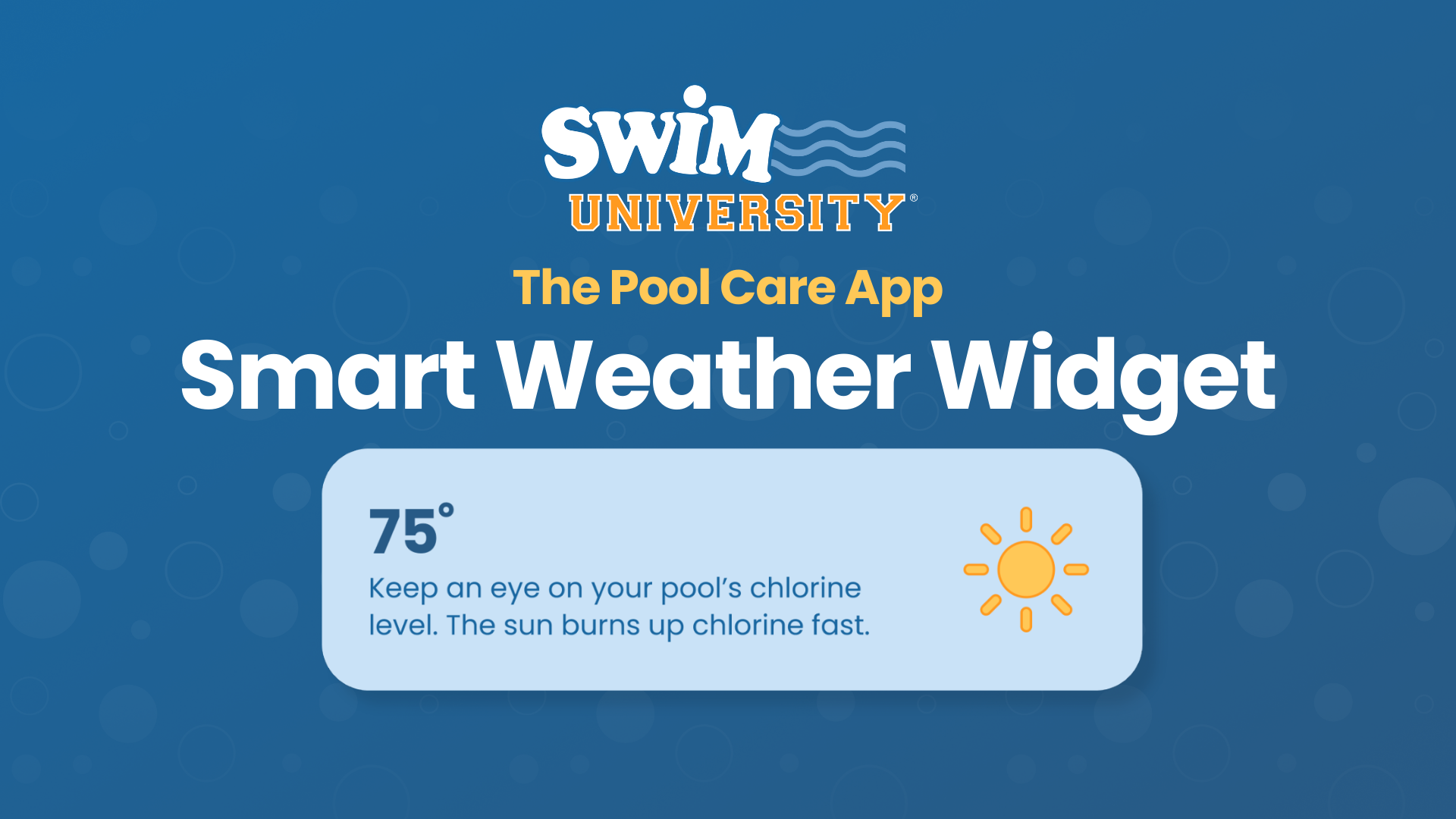
We’ve minimized the weather widget and added more helpful weather alerts. Click the weather widget to see the current conditions, helpful tips, and a 5-day forecast to plan around upcoming weather events.
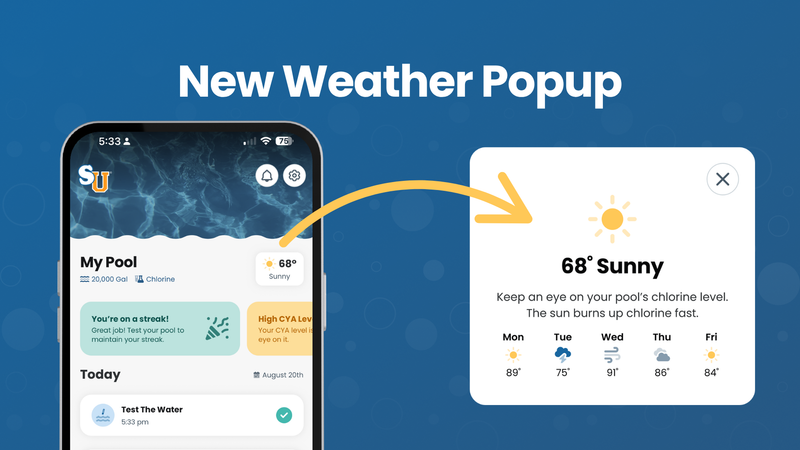
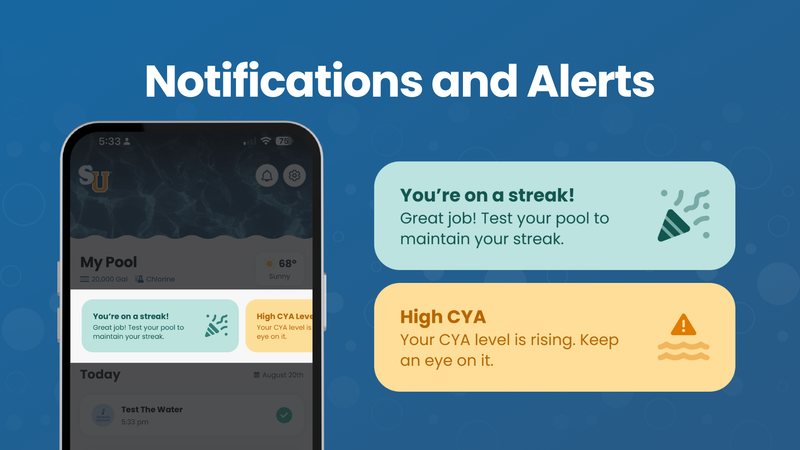
We added a scrollable list of pool care notifications. For example, if you’ve been taking care of your pool every week with the app, you’ll see that you’re on a streak.
Another alert you might see is when one or more of your chemical readings are high. We call these warning buffers. They’ve been in the app, but now they’re easier to see.
Now all of your tasks and chemical treatments appear on the home screen under the “Today” view. This will give you an actionable daily list of tasks to take care of your pool.
In the near future, we’ll add customizable reminders you can set to get push notifications to remind you to complete your pool care tasks.
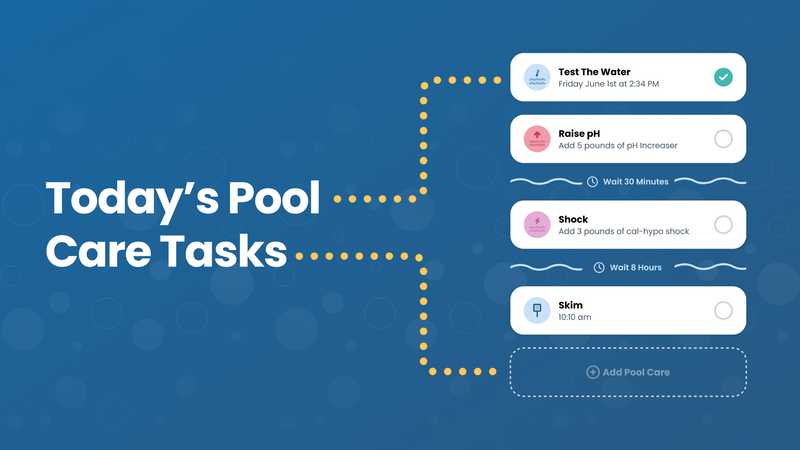
Power users will notice this view also includes your water tests and treatment plans (with wait times). Your custom treatment plans can still be accessed the same way as before. But now everything is saved on one screen for easy viewing and quick completion.
Trends: Pool Chemistry Charts and History
You wanted charts, so we gave you charts! You can now see how your pool chemistry readings track over time. It also includes your entire pool care history broken down by month.
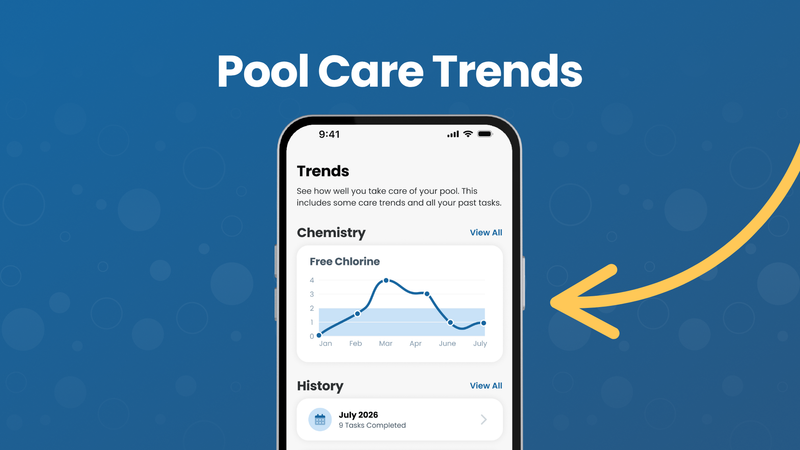
This is a new screen in the app that we’d really like to build out. Any feedback or suggestions would be helpful. We have a few things coming, but I want to hear from you first. You can email [email protected] or chat with me in the app.
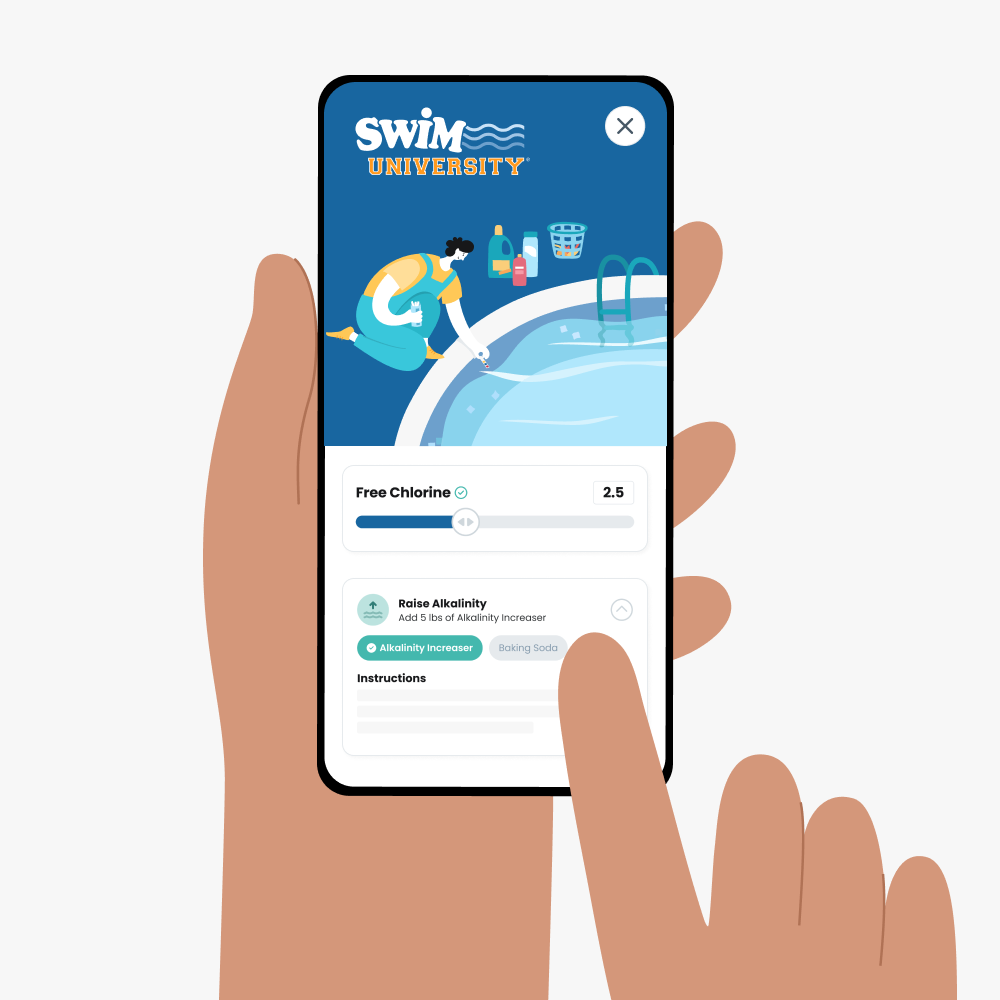
Enter your water test results. Get a custom treatment plan. Know exactly what chemicals to add to keep your pool clear. Saltwater and hot tub compatible.
More Improvements and Bug Fixes
- Liquid Pool Stabilizer Options: You can now choose between granular and liquid chlorine stabilizers (cyanuric acid/CYA). Also, if your CYA is high, we added new suggestions to lower it, rather than just partially draining and refilling your pool.
- Pool Volume Calculator: If you don’t know your pool size, you can use the built-in calculator to find out and save it to your pool profile.
- One-Tap Task Completion: You can now click the checkbox to complete any task without tapping and opening each task’s details sheet.
- Measurement Preferences: You have three options: Temperature (Fahrenheit/Celsius), Weight (lbs/kg), and Liquid (oz/L).
- Chemical Preferences: Set your own custom ranges, targets, and default chemical choices.
That covers everything in version 6.0. If there’s a feature you want to see next, let us know in the app.
Ready to experience smarter pool care? Update The Pool Care App today and stay one step ahead of your pool's needs!